

Description
Stop manually clearing cache after WordPress changes.
Cache Autopilot works alongside a supported cache plugin. Your cache plugin knows how to purge cached pages. Cache Autopilot adds the missing context: which frontend pages were actually affected by the change.
When content or shared site elements change, Cache Autopilot determines which pages need to refresh, asks your cache plugin to purge those URLs, and preloads them safely in the background. Unaffected pages stay cached where possible.
Configure Cache Autopilot once. Your client publishes normally. The right pages refresh.
Watch the full 2-minute overview, or jump straight to the integration demos.
The video includes examples from both Cache Autopilot Free and PRO.
Cache Autopilot helps reduce:
- Stale pages after updates — shared content refreshes where it actually appears.
- Manual cache clearing — no chasing individual URLs or clearing the whole cache just to be safe.
- Cold-cache traffic — unaffected pages can stay cached while purged pages are preloaded in the background.
Why WordPress cache can stay stale
A cache plugin can efficiently purge a URL, but it cannot always know every other page where changed content appears.
A post may appear in a Query Loop on a non-archive page. A synced pattern, template part, shortcode, form, widget or custom block may be reused across the site. WooCommerce product data can appear on shop and taxonomy pages. A shared Elementor component or template can affect multiple frontend URLs.
Cache Autopilot resolves those connections and refreshes the affected cached pages. If the full impact cannot be determined safely, it can fall back more broadly rather than knowingly leave stale content behind.
What you get with Cache Autopilot Free
Cache Autopilot Free is fully usable on its own — it is not a trial.
- Gutenberg & block theme support — Site Editor templates, template parts, synced patterns, Navigation and global styles. Learn more
- WooCommerce support — products, variations, Shop, product categories and tags, grouped products, upsells and related storefront targets. Learn more
- Posts and custom post types — refresh changed singular content and configured target pages.
- Archive targeting & pagination — independently refresh post type, taxonomy and native Post date archives, with optional paginated archive pages. Archive settings · Pagination behavior
- Form plugin support — automatically find pages using changed Contact Form 7, WPForms, Gravity Forms and Ninja Forms. Learn more
- Site-wide WordPress changes — menus, widgets, Customizer changes, theme changes and relevant WordPress settings.
- Classic themes and custom layouts — standard content works automatically; targeting and developer filters cover custom setups.
- Manual targeting — explicitly choose pages or post types that should refresh when content changes.
- Developer filters — map post, option, widget/sidebar, meta and custom changes to affected frontend pages. Developer reference
- Background cache preload — purged pages are rebuilt through paced HTTP requests instead of being left cold. Warmup and pacing
Supported cache plugins
Cache Autopilot currently works with:
- LiteSpeed Cache (Free)
- WP Rocket
- WP Fastest Cache (Free) – requires 1.5.2+
- WP Optimize (Free)
- Speed Optimizer (Free)
- FlyingPress
- SpeedyCache (Free)
- Breeze (Free)
- Cache Enabler (Free)
A supported cache plugin is required. Cache Autopilot depends on reliable URL-level cache purging rather than replacing your cache plugin.
See cache adapter compatibility and setup notes.
How it works
- Something changes in WordPress.
- Cache Autopilot determines which frontend URLs are affected.
- Your supported cache plugin purges those URLs.
- Cache Autopilot preloads the purged pages safely in the background.
This applies to targeted content changes as well as broader events such as shared template, navigation or presentation changes.
Archive and pagination support
Post type archives, taxonomy archives and native Post date archives can be enabled independently for each configured post type.
Optional archive pagination can refresh a bounded number of additional pages beginning with page 2. During warmup, pagination stops at the first page that does not exist instead of requesting deeper pages unnecessarily.
Date archives include affected year, month and day URLs. If a Post’s publication date changes, both the old and new date archives refresh.
See archive targeting and pagination settings.
Background cache preload
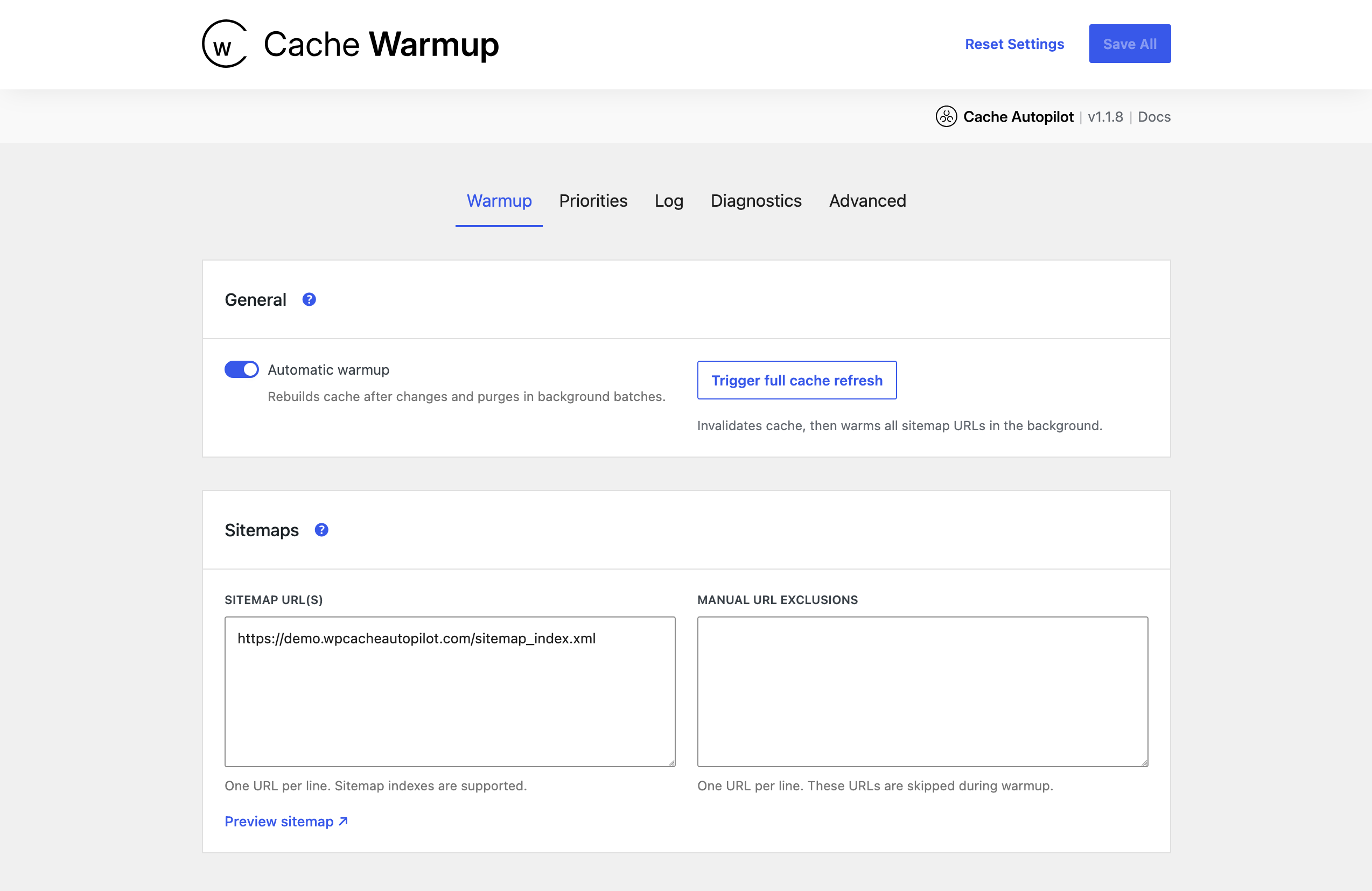
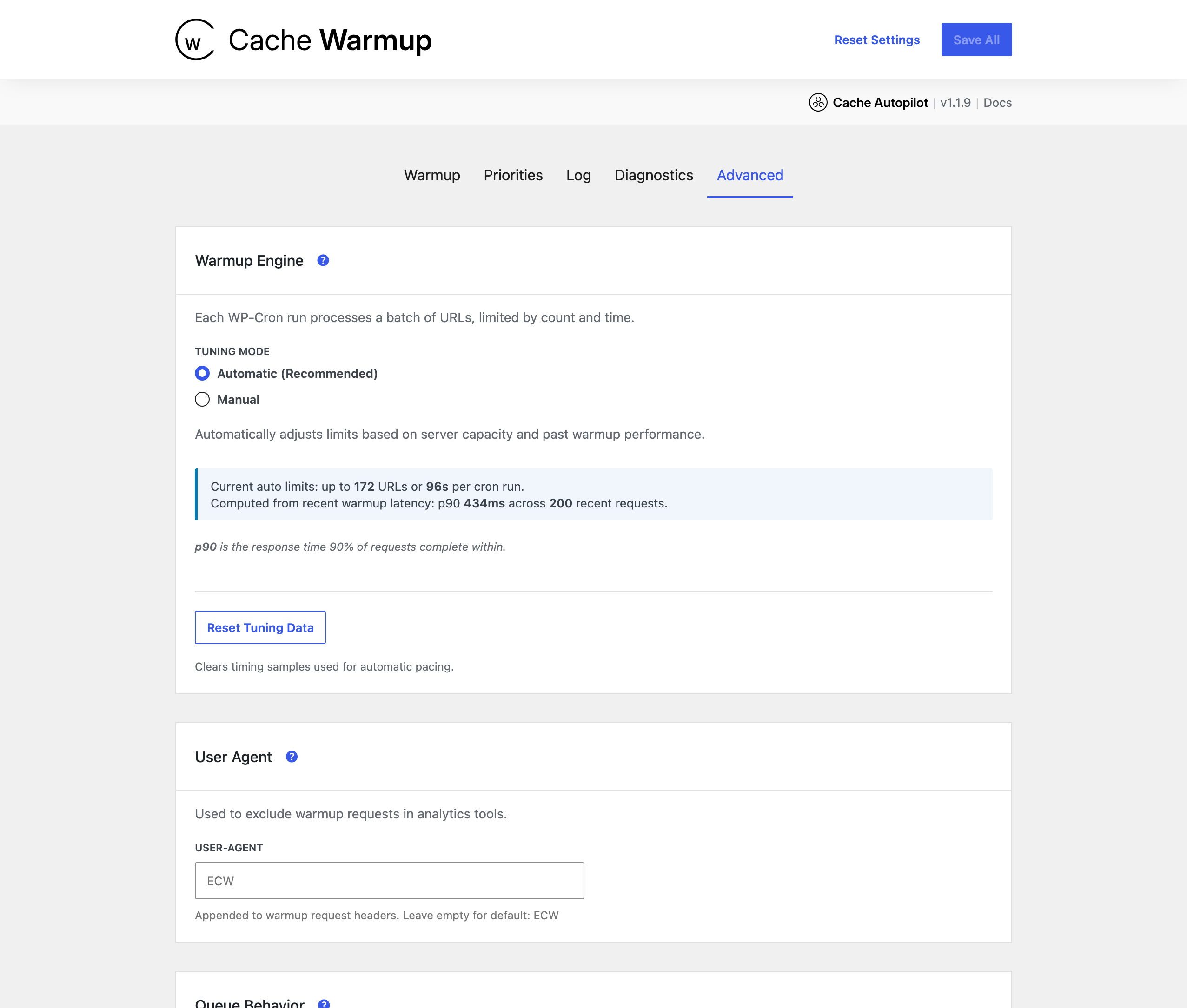
Cache Autopilot does not just purge affected pages and leave them cold. Purged URLs are queued for background preload with automatic pacing based on server response times.
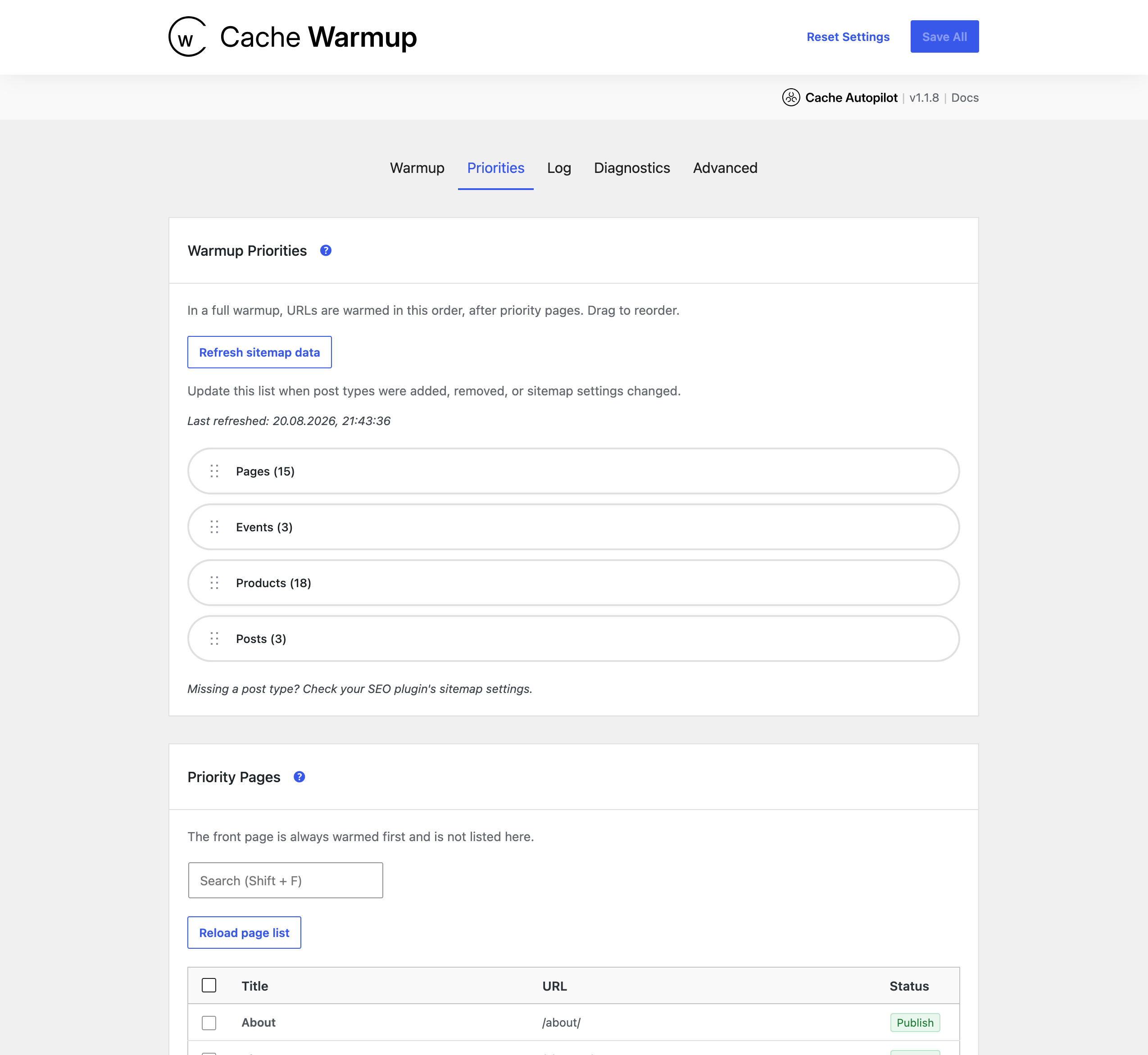
Full warmups can rebuild the site after broader cache purges, while targeted warmups rebuild only the affected URLs. Important pages can be prioritized, URLs are deduplicated, and run history shows what was warmed or could not be reached.
Read about Cache Warmup · Pacing · Run history
Cache Autopilot PRO
PRO adds deeper awareness for sites where content is reused through builders, relationships or multiple languages:
- Elementor — Elementor 4.3 ready. Supports reusable Components, Global Widgets, Saved Templates, Theme Builder templates, Loop Items, Popups, nested references, Display Conditions, Atomic Default Styles and Elementor MCP workflows.
- ACF relationships — follow ACF relationship and post object fields to refresh connected content.
- Advanced content relationships — extend refresh propagation to custom relationship models and data structures.
- Multilingual — WPML, Polylang and TranslatePress support, including translated target URLs and localized post type, taxonomy, date and paginated archives.
- Timed cache refresh — refresh selected content on a schedule.
- Access control — grant Cache Autopilot access by role or individual user.
- PRO developer extensions — additional relationship, multilingual and resolver filters.
Designed to work safely alongside your cache
Cache Autopilot does not store or serve cached pages and does not replace your caching plugin. It uses the supported cache plugin to purge affected URLs, then rebuilds those pages through normal frontend HTTP requests.
Targeted refresh keeps unrelated pages cached whenever possible. When precise targeting is not safe, Cache Autopilot can broaden the refresh instead of silently leaving stale content behind.
Background preload is paced, and every run can be inspected in the Cache Warmup log. Support Debug Mode provides additional diagnostics when needed.
Cache targeting settings · Warmup diagnostics and operation
Documentation
Screenshots



Installation
- Install and activate a supported cache plugin.
- Install and activate Cache Autopilot.
- Open Cache Warmup and add your sitemap XML.
- Configure the post types and targets relevant to your site.
- Make a test edit and check the Cache Warmup log.
FAQ
-
Is Cache Autopilot a WordPress caching plugin?
-
No. You still need a supported cache plugin. Cache Autopilot determines which cached URLs need to refresh, asks the cache plugin to purge them, and preloads those pages again.
-
Why does my WordPress cache still show old content after an update?
-
The changed URL may not be the only cached page displaying that content. Query Loops, archives, shared blocks, templates, forms, widgets, WooCommerce data and builder components can all make one change visible on multiple URLs.
Cache Autopilot resolves those affected pages and refreshes them through your existing cache plugin.
-
Does Cache Autopilot clear the entire WordPress cache after every update?
-
Usually not. It targets affected URLs whenever they can be determined safely. A broader purge is used only when configured or when targeted resolution cannot safely cover the change.
-
Which WordPress cache plugins are supported?
-
LiteSpeed Cache, WP Rocket, WP Fastest Cache, WP Optimize, Speed Optimizer, FlyingPress, SpeedyCache, Breeze and Cache Enabler.
-
Does Cache Autopilot work with Gutenberg and block themes?
-
Yes. Cache Autopilot Free understands Site Editor templates, template parts, synced patterns, Navigation, global styles and standard WordPress content.
-
Does Cache Autopilot support WooCommerce?
-
Yes. WooCommerce support is included in Cache Autopilot Free.
It covers products, variations, the Shop page, product categories and tags, grouped products, upsells and other connected storefront targets.
-
Does Cache Autopilot support Elementor?
-
Yes, in Cache Autopilot PRO. The Elementor integration understands reusable content, templates, nested references and Display Conditions so affected frontend pages can refresh when shared Elementor content changes.
-
Does Cache Autopilot support multilingual WordPress sites?
-
Yes, in Cache Autopilot PRO. WPML, Polylang and TranslatePress are supported, including translated target URLs and localized archive pagination.
-
Does Cache Autopilot preload pages after purging them?
-
Yes. Purged pages are queued for paced background preload so visitors are less likely to encounter a cold cache.
-
What happens if Cache Autopilot cannot determine every affected page?
-
Where precise targeting cannot be resolved safely, Cache Autopilot can fall back to a broader refresh rather than risk leaving affected pages stale.
-
Can developers extend Cache Autopilot for custom WordPress setups?
-
Yes. Free includes filters for post changes, options, widgets/sidebars, metadata, archives and custom workflows. PRO adds relationship and multilingual extension points.
Reviews
There are no reviews for this plugin.
Contributors & Developers
“Cache Autopilot” is open source software. The following people have contributed to this plugin.
Contributors
Translate “Cache Autopilot” into your language.
Interested in development?
Browse the code, check out the SVN repository, or subscribe to the development log by RSS.
Changelog
Note: Free and PRO packages share the same version number. Some releases may only affect PRO features, but version alignment keeps package compatibility, support, and upgrade paths consistent.
1.5.1
Release Date: 14th September 2026
- [PRO] Fix: Corrected changelog and banner presentation in native “View details” for Freemius and Git Updater distributions.
1.5.0
Release Date: 14th September 2026
- New: Added targeted refresh and full warmup support for native Post date archives.
- New: Added configurable pagination support for post type, taxonomy, and date archives, including multilingual archive URLs in PRO.
- [PRO] Enhancement: Improved the native “View details” information for Freemius and Git Updater, including descriptions, changelogs, and banners.
- [PRO] Maintenance: Updated the Freemius SDK to 2.13.4.
1.4.0
Release Date 10th September 2026
- New: Added cache adapters for SpeedyCache, WP Optimize, and SiteGround Speed Optimizer.
- New: Added WP Fastest Cache adapter support, ready to activate with their upcoming URL-purge release.
- [PRO] Fix: Ensured pages refresh when an assigned Elementor Theme Builder template is moved to Trash or permanently deleted.
1.3.0
Release Date 8th September 2026
- Enhancement: Admin notices optimized.
- [PRO] Enhancement: Non-Administrator users with plugin access now see the Cache Invalidator and Cache Warmup menu items under
Settingsinstead of as top-level admin menu items. - [PRO] New: Added Elementor 4.3 support for Atomic Default Styles and Global Classes.
- [PRO] Enhancement: Added targeted refresh support for alternate Loop Grid templates and improved Theme Builder Display Condition changes.
- [PRO] Fix: Prevented first-time Theme Builder assignments and unrelated Elementor saves from triggering unnecessary full-site refreshes.
1.2.1
Release Date 3rd September 2026
- Enhancement: Settings UI improvements.
1.2.0
Release Date 2nd September 2026
-
New: WooCommerce support is now included in Free. Product changes refresh affected product, Shop, category, and tag pages — targeted by default, with optional all-product refresh for dynamic product-page content. Learn more about WooCommerce support.
-
New: Additional Singular Post Types is now included in Free. Refresh all singular pages of selected post types when broader coverage is needed. Learn more.
1.1.14
Release Date 1st September 2026
- Fix: Parent category pages now refresh after category edits and updates to content in child categories.
- Fix: Category and tag pages now warm up after URL changes without waiting for sitemap updates.
1.1.13
Release Date 31st August 2026
- [PRO] Enhancement: Made warmup logs easier to scan with clear labels for Elementor components, templates, and global widgets.
- Enhancement: Optimized sitemap notifications.
1.1.12
Release Date 28th August 2026
- [PRO] Fix: Prevented unnecessary full cache refreshes when unpublished Elementor pages is published with newly created components.
- Fix: Prevented invalid duration values from appearing in warmup run logs.
1.1.11
Release Date 26th August 2026
- [PRO] Fix: Prevented delegated-access admin menu conflicts and kept both Cache Autopilot menus neatly together.
- Enhancement: Improved the plugin readme for clarity and feature discovery.
1.1.10
Release Date 22nd August 2026
- Enhancement: Polished the settings experience with clearer user search feedback and priority controls that follow the selected WordPress admin color scheme.
- Fix: Made warmup transport diagnostics clearer and more accurate about browser-profile requests and standard fallbacks.
- [PRO] Fix: Prevented Elementor autosaves from triggering premature cache refreshes.
1.1.9
Release Date 14th August 2026
- [PRO] Enhancement: Preserved the active WPML language after multilingual form changes.
- Enhancement: Updated WordPress compatibility to 7.1.
- Fix: Ensured shared block theme changes refresh all affected pages when template usage cannot be resolved completely.
1.1.8
Release Date 13th August 2026
- Enhancement: Warmup diagnostics are now cleaner, easier to understand, and more precise about browser-profile performance and fallbacks.
- [PRO] Enhancement: Priority pages and Home now start multilingual full refreshes in the right order across configured languages.
- Enhancement: Improved settings navigation and made priority-page choices easier to refresh reliably.
1.1.7
Release Date 12th August 2026
- Enhancement: Improved targeted Brotli cache warming compatibility by routing browser-profile requests through the WordPress HTTP API.
- Enhancement: Full cache refreshes now begin rebuilding pages promptly after manual actions and automated updates.
1.1.6
Release Date 29th July 2026
- Improvement: Added a dedicated, lightweight kick for new warmup runs on sites using server cron, without triggering unrelated WordPress cron tasks.
1.1.5
Release Date 28th July 2026
- Fix: Prevented overlapping warmup runs from becoming stuck while preparing after concurrent plugin or theme updates.
1.1.4
Release Date 27th July 2026
- Fix: Improved targeted warmup coordination for late-arriving URLs and concurrent multilingual invalidations.
- [PRO] Fix: Resolved WPML post type archive URLs in their target-language context.
- [PRO] Fix: Made targeted run labels distinguish distinct content changes from related multilingual emissions.
- Enhancement: Improved warmup log clarity and status presentation.
1.1.3
Release Date 7th July 2026
- Enhancement: Release workflow optimizations.
1.1.2
Release Date 6th July 2026
- Security: Hardened trusted cache-clear handling and plugin access checks.
- Fix: Improved support-log protection, cron loopbacks, and internal storage prefixes.
- Fix: Resolved remaining Plugin Check naming warnings for legacy plugin constants.
1.1.1
Release Date 25th June 2026
- Fix: Preserved settings when deleting Free or PRO while the other edition remains installed.
1.1.0
Release Date 23nd June 2026
- Fix: Improved WordPress.org compatibility for plugin prefixes, admin notices, diagnostics data, and cache purge permissions.
1.0.2
Release Date 19th June 2026
- [PRO] Fix: Improved Plugin Check compatibility for PRO integrations.
1.0.1
Release Date 19th June 2026
- Enhancement: Admin notification optimized for first installs.
1.0.0
Release Date 18th June 2026
- Initial public release of Cache Autopilot after extended production use on real WordPress sites, including large installations with more than 1,200 pages.
- Added Free/PRO-ready internal structure while keeping the free plugin fully functional on its own.
- Preserved historical changelogs for the former two separate plugins Cache Invalidator and Cache Warmup.