

Description
WiPay Payment Gateway lets WooCommerce stores in Angola and the DRC accept local digital payments through a single integration. Customers pick their preferred payment method on the secure WiPay hosted payment page, and your store is notified the moment the payment completes.
Payment methods
- Angola: Multicaixa Express, Referências Multicaixa, é-Kwanza, PayPay, Unitel Money, Afrimoney
- DRC: Illicocash (Rawbank)
Features
- Simple setup – paste your WiPay Client ID and Client Secret. The plugin creates and renews the OAuth2 access tokens automatically.
- Secure callbacks – every payment notification is verified with an HMAC-SHA-256 signature before the order is updated.
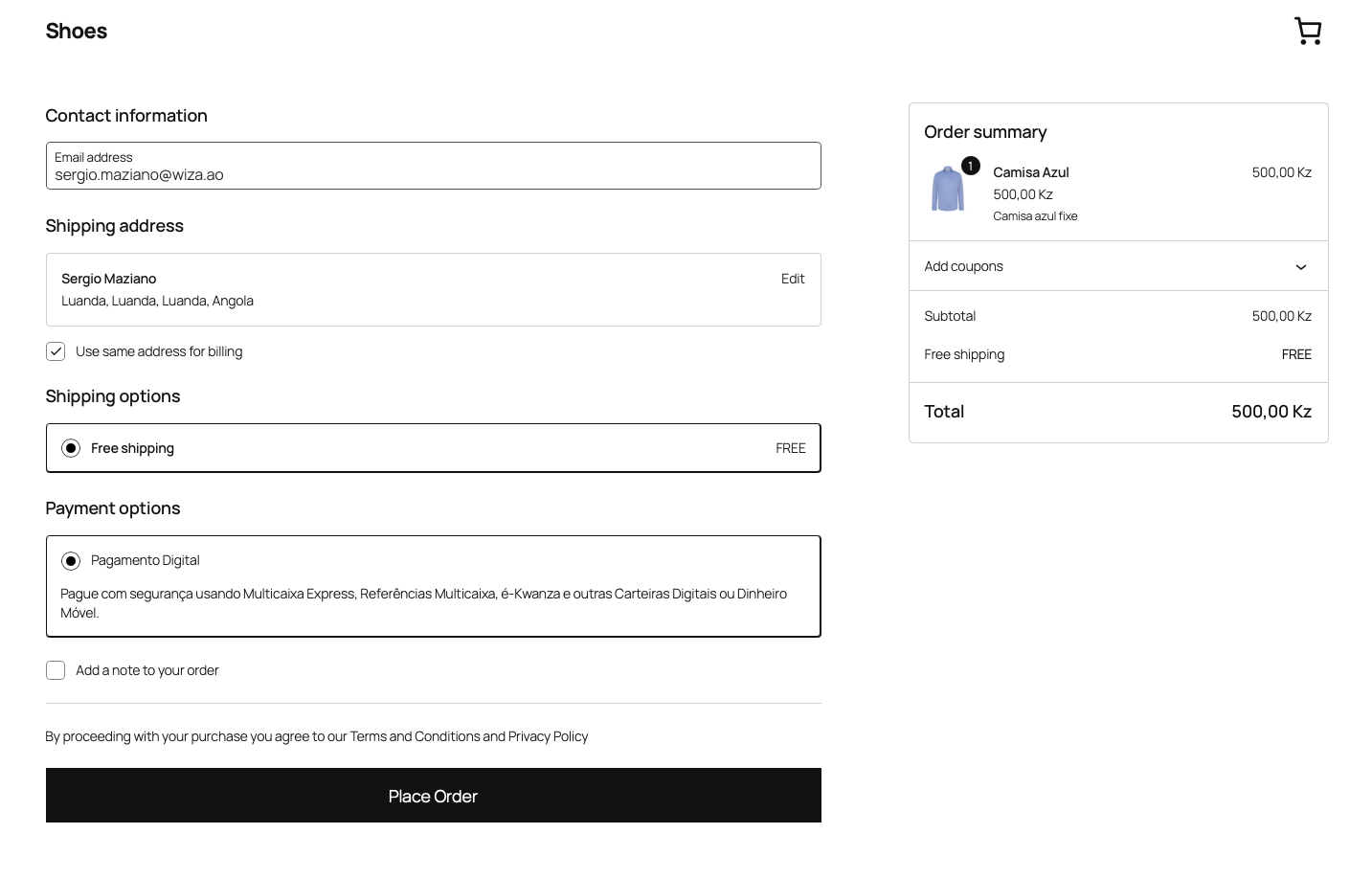
- Checkout your way – the payment page opens in a modal inside the checkout, or in a popup page.
- Classic and Blocks checkout – works with the shortcode checkout and the WooCommerce Cart & Checkout blocks.
- HPOS compatible – supports WooCommerce High-Performance Order Storage.
- Sandbox ready – use your sandbox credentials to test, and your production credentials to go live. No code changes.
- Order insights – the WiPay transaction ID and status are shown on the order screen and in the orders list.
- Debug logging – optional logs under WooCommerce > Status > Logs.
Requirements
- WooCommerce 7.0 or higher
- PHP 7.4 or higher
- An SSL certificate (HTTPS)
- A WiPay merchant account – sign up at wipay.ao
External services
This plugin connects to the WiPay payment service, operated by WiPay (Angola), to create payments and receive their results. It is required for the plugin to work.
- Access tokens – when you save the settings and when a payment is made, your Client ID and Client Secret are sent to
https://api.wipay.ao/v1/credentials/tokento obtain short-lived access tokens. - Payment creation – when a customer places an order with WiPay, the order total, currency, order ID, the customer’s billing phone number (or email if no phone is set), and your store’s return and callback URLs are sent to
https://api.wipay.ao/v1/hosts/payments. - Hosted payment page – the customer is then shown the WiPay payment page (
https://hosted.wipay.ao), where they choose a payment method and confirm the payment. WiPay processes the payment with the selected provider. - Payment notification – WiPay sends the payment result to your store’s callback URL (
/wp-json/wipay/v1/callback).
No data is sent to WiPay until the gateway is configured with credentials. WiPay Terms of Service and Privacy Policy.
Screenshots


Installation
- Install the plugin from Plugins > Add New, or upload the
wipay-payment-gatewayfolder to/wp-content/plugins/. - Activate the plugin. WooCommerce must be active.
- Go to WooCommerce > Settings > Payments > WiPay.
- Enter the Client ID and Client Secret from your WiPay merchant portal.
- Enable the gateway and save. The settings page confirms that the credentials work.
You don’t need to configure a callback URL in WiPay: the plugin sends it with every payment.
FAQ
-
What is WiPay?
-
WiPay is a payment platform that lets businesses in Angola and the DRC accept local digital payments, such as Multicaixa Express and mobile money, through a single API.
-
Where do I get my Client ID and Client Secret?
-
In the WiPay merchant portal. The Client ID starts with
wp_and the Client Secret withWPS_. -
Do I need to create or renew tokens myself?
-
No. The plugin exchanges your Client ID and Client Secret for OAuth2 access tokens and renews them before they expire. This covers the payment token (1 hour) and the signature token used to verify callbacks (24 hours).
-
How do I test payments?
-
Enter your sandbox Client ID and Client Secret. In the sandbox, the customer phone number decides the outcome. 900000000 simulates an accepted payment, 900002004 a timeout and 900003000 a rejection by the customer. Switch to your production credentials to go live.
-
Which currencies are supported?
-
AOA (Angolan Kwanza), CDF (Congolese Franc) and USD.
-
Does it work with the Blocks checkout?
-
Yes. It supports both the classic (shortcode) checkout and the WooCommerce Cart & Checkout blocks.
-
Is it compatible with HPOS?
-
Yes. It is fully compatible with WooCommerce High-Performance Order Storage.
-
How do refunds work?
-
Refunds are processed in the WiPay merchant portal. When you refund an order in WooCommerce, the plugin adds a note to the order as a reminder.
-
I used the «Wiza Payment Gateway» plugin. What changes?
-
WiPay replaces Wiza. After installing WiPay Payment Gateway your title, description and display settings are copied over, but you must enter the new Client ID and Client Secret. The old API key and signature token are no longer used. Payments started with the old plugin are still confirmed. Once the new gateway is configured, deactivate and delete the old Wiza plugin.
-
What does it cost?
-
WiPay has no subscription fee and charges a small fee per transaction. See wipay.ao for pricing.
Reviews
There are no reviews for this plugin.
Contributors & Developers
“WiPay Payment Gateway” is open source software. The following people have contributed to this plugin.
Contributors
Translate “WiPay Payment Gateway” into your language.
Interested in development?
Browse the code, check out the SVN repository, or subscribe to the development log by RSS.
Changelog
2.0.1
- NEW: The order screen shows the payment method the customer used (e.g. Multicaixa Express, PayPay, Unitel Money). The thank-you page, My Account and order emails show it too, for example «Digital payment – Multicaixa Express».
- FIX: Removed development and translation draft files that were included in the 2.0.0 package.
2.0.0
- NEW: Rebranded from Wiza to WiPay.
- NEW: OAuth2 authentication. The plugin now only needs your Client ID and Client Secret. Payment and signature access tokens are created, cached and renewed automatically.
- NEW: Credentials are checked when the settings are saved, and the diagnostics panel shows the connection status.
- NEW: Callback reasons are shown as readable messages in order notes.
- NEW: WiPay status column on the HPOS orders screen.
- NEW: Settings, history and pending callbacks are migrated from the Wiza plugin.
- FIX: Paying again for the same order no longer fails with «reference already exists». Each attempt now gets its own WiPay reference (123, 123-1, 123-2…), and the plugin automatically retries with the next reference if WiPay reports a duplicate.
- IMPROVED: Rejected or duplicate callbacks no longer change orders that are already paid.
- IMPROVED: Payments accepted with an amount that differs from the order total are put on hold for review.
- IMPROVED: A clear message is shown when WiPay rate-limits payment requests.
- IMPROVED: The plugin is now in English and fully translatable through translate.wordpress.org.
- REMOVED: The «Test mode» option. Sandbox and production are selected by the credentials you use.
- REMOVED: The unused «Reference prefix» option.
1.1.0
- NEW: Compatibility with WordPress 6.9 and WooCommerce 10.4.
- NEW: HPOS (High-Performance Order Storage) support.
- NEW: WooCommerce Blocks checkout support.
- NEW: REST API callback endpoint.
- NEW: Debug logging.
- IMPROVED: Signature verification and error handling.
1.0
- Initial release.