

Description
GoFastSUPPORT is a customer support platform providing a website widget, AI assistant, knowledge base, and live chat, all managed from your GoFastSUPPORT account.
This plugin puts your support widget on your WordPress site. You paste one connection code and the plugin does the rest. There is nothing to configure, no files to edit, and no settings to look up.
Everything about how your widget looks and behaves – branding, knowledge base content, assistant replies, chat settings – is managed in your GoFastSUPPORT account, not in WordPress. Change it there and your site updates automatically.
What this plugin does
- Connects your site to your GoFastSUPPORT account with a single connection code.
- Shows your support widget on your site.
- Lets you turn the widget on or off.
- Lets you show the widget on every page (the default), or control it per content type: show it on all Products, or only on the specific Products, Pages or Posts you pick.
- Also supports a
[gofast_support]shortcode for placing it anywhere else. - Lets you test, reconnect, or disconnect at any time.
What you need
A GoFastSUPPORT account. If you do not have one yet, visit https://www.gofastsupport.ai to get started.
Privacy
When you connect, this plugin sends your site’s web address and your one-time connection code to GoFastSUPPORT to link the two accounts. Your connection code is never saved anywhere on your site.
Once connected, your pages load the support widget from GoFastSUPPORT. When a visitor uses the widget, their browser communicates with GoFastSUPPORT directly, the same as with any hosted support chat. This plugin does not send your WordPress user accounts, posts, or other site content to GoFastSUPPORT.
For details on how GoFastSUPPORT handles support conversations and visitor data, see the privacy policy at https://www.gofastsupport.ai.
External Services
This plugin requires a GoFastSUPPORT account and connects to the GoFastSUPPORT service at https://www.gofastsupport.ai:
- When you click Connect: your site address and one-time connection code are sent to GoFastSUPPORT over a secure connection to link your site to your account.
- On your public pages: your widget is loaded from GoFastSUPPORT so visitors can use support chat.
- When you click Test connection: your site checks that the widget can still be loaded.
GoFastSUPPORT is a paid third-party service. See https://www.gofastsupport.ai for its terms of service and privacy policy.
Uninstall
Deleting this plugin through the WordPress Plugins screen removes only its own settings from your database. It does not delete posts, pages, users, themes, or any other WordPress content, and it does not contact GoFastSUPPORT.
Support
Visit https://www.gofastsupport.ai or contact support from your GoFastSUPPORT account.
Security
Only site administrators can connect, disconnect, or change this plugin’s settings, and every one of those actions is protected against cross-site request forgery.
Your one-time connection code is used once to establish the connection and is never saved to your database, written to a log, or shown on your site. The plugin only ever loads your widget from GoFastSUPPORT’s own servers – it cannot be pointed at any other web address, including by an administrator, which protects your site from having an untrusted script injected into your pages.
Screenshots
Installation
- In your WordPress admin, go to Plugins > Add New and search for «GoFastSUPPORT».
- Click Install Now, then Activate.
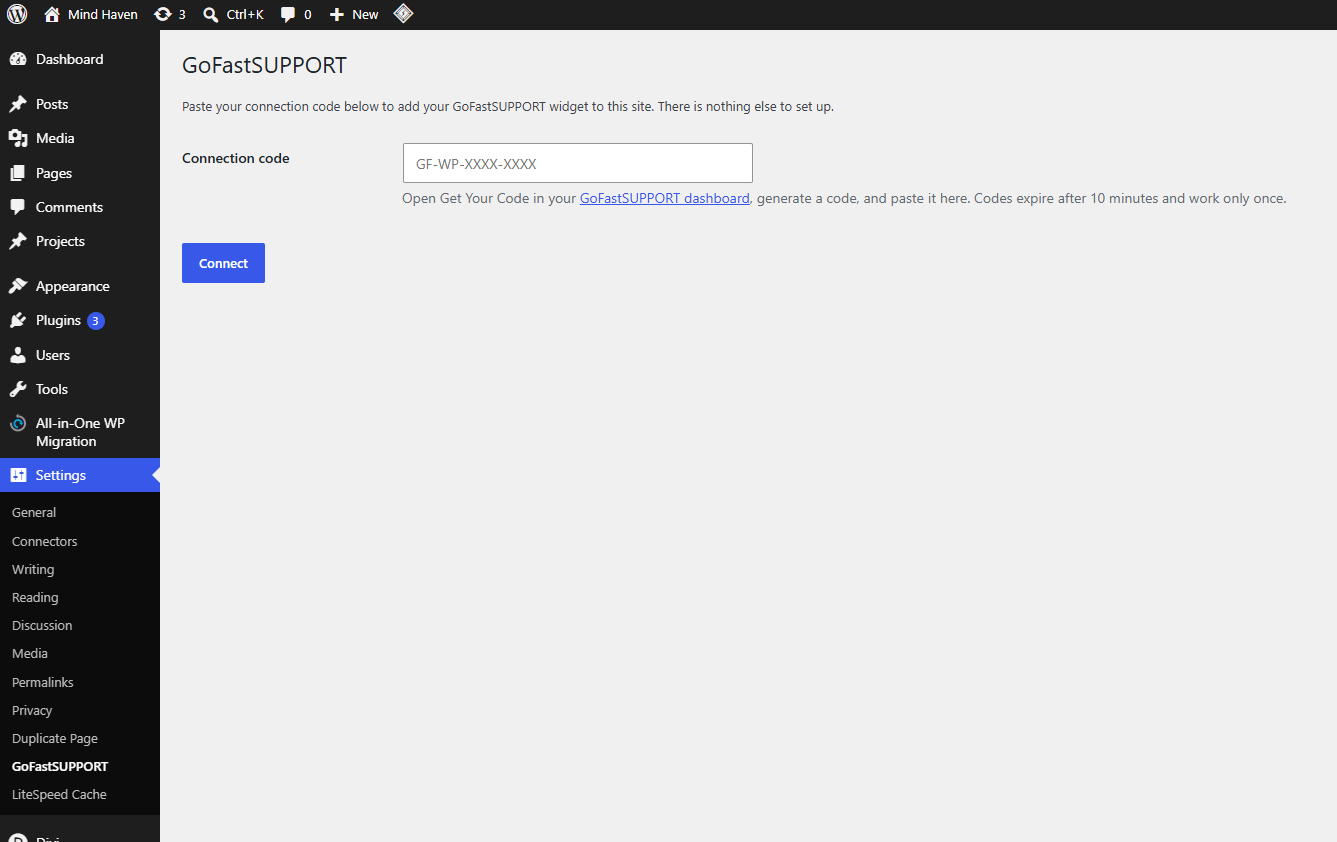
- You will land on the GoFastSUPPORT settings page. (You can also reach it any time at Settings > GoFastSUPPORT.)
- In your GoFastSUPPORT account, open Get Your Code and generate a connection code.
- Paste the code into the Connection code box and click Connect.
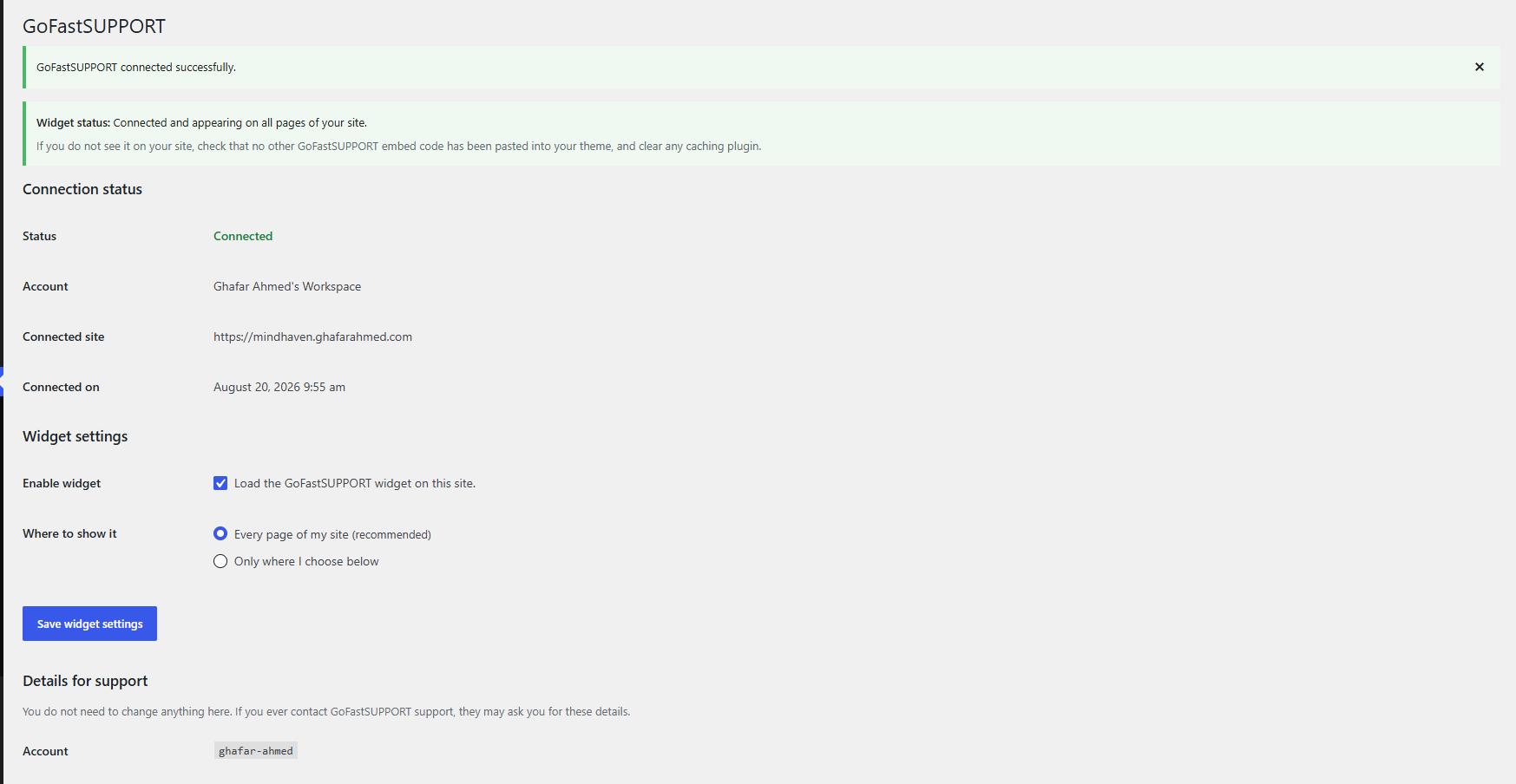
That is the whole setup. Your widget appears on your site right away.
Connection codes expire 10 minutes after you generate them and work only once, so generate yours right before you paste it. If it expires, just generate a new one.
FAQ
-
Where do I get a connection code?
-
Log in to your GoFastSUPPORT account and open Get Your Code. Generate a code there, then paste it into Settings > GoFastSUPPORT in WordPress within 10 minutes.
-
My code did not work. What now?
-
Codes expire after 10 minutes and can only be used once. Generate a fresh code and paste it right away. If a new code still does not work, contact GoFastSUPPORT support.
-
Do I need to edit any files or settings?
-
No. Install, activate, paste your code, click Connect. You never need to edit WordPress files, enter a web address, or change any technical setting.
-
How do I choose where the widget appears?
-
In Settings > GoFastSUPPORT, under «Where to show it», pick either:
- Every page of my site – the default, recommended for most sites.
- Only where I choose below – set a rule for each content type. For example: all Products, plus two specific Pages, and nothing else.
The widget also appears on any page containing the
[gofast_support]shortcode, whichever option you pick. To switch it off everywhere, untick «Enable widget». -
Does showing it on only some pages make my site faster?
-
The widget only loads on the pages you choose, so other pages do not request it at all. Choosing pages adds no database queries and no measurable overhead to any page.
-
How do I change how my widget looks?
-
Everything about your widget’s appearance and behavior is managed in your GoFastSUPPORT account. Changes you make there apply to your site automatically – there is nothing to update in WordPress.
-
What does Disconnect do?
-
It removes the connection from this site and your widget stops appearing immediately. Your GoFastSUPPORT account, chat history, and settings are not affected. You can reconnect any time with a new code.
-
What does Test connection do?
-
It checks that your widget can still be loaded from GoFastSUPPORT, so you can confirm everything is working.
-
Will this slow down my site or conflict with my caching plugin?
-
No. The widget loads in the background at the bottom of your pages and works normally alongside common caching and performance plugins.
-
Does the widget show up in my WordPress dashboard?
-
No. It only appears on your public website, never in the WordPress admin area or on the login page.
-
What happens if I delete the plugin?
-
Deleting the plugin removes only its own settings from your site. Your posts, pages, and other WordPress content are untouched, and your GoFastSUPPORT account and data are unaffected.
Reviews
There are no reviews for this plugin.
Contributors & Developers
“GoFastSUPPORT” is open source software. The following people have contributed to this plugin.
Contributors
Translate “GoFastSUPPORT” into your language.
Interested in development?
Browse the code, check out the SVN repository, or subscribe to the development log by RSS.
Changelog
1.0.0
- Initial release.